GPS Navigation for a Rental Car in Prague: What to Check
Navigation can make a road trip easier, but device models, maps and availability change. This guide replaces the old fixed TomTom Via 130 specification with checks that remain useful for built-in systems, standalone GPS units and smartphones.
Confirm the actual navigation option for your chosen car before pickup. Do not assume that an old device list or camera database is still current.
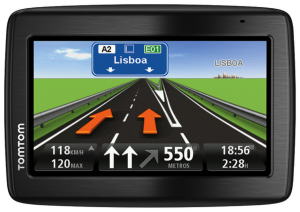
Before you start driving
- Set the destination while the car is parked.
- Check that maps cover every country on your route.
- Download offline maps on your phone as a backup.
- Bring a suitable charging cable and secure phone mount.
- Review border, toll and vignette rules separately; navigation does not replace road signs.
Safety and camera alerts
Keep your attention on the road and follow local signs even when navigation suggests something different. Laws on speed-camera warnings vary by country, so disable such alerts where required. Hands-free functions reduce handling but do not remove distraction.
Built-in navigation or standalone GPS?
Some cars have built-in navigation, while a separate device may be available only on request. Ask which option is included, which languages and maps are installed, and whether an extra charge or deposit applies.
For the confirmed equipment of your booking, review the rental conditions and contact CARLOVE before pickup.